-
Click the Order button.
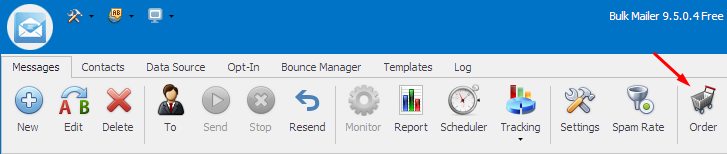
If you do not have the Order button, please download and install the latest version of the software.
-
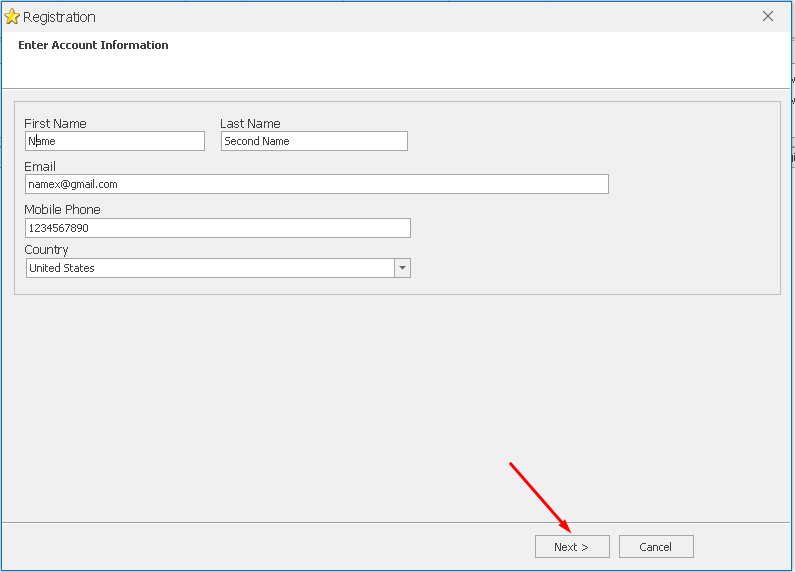
Enter your Name, Email, Phone, and Country.
-
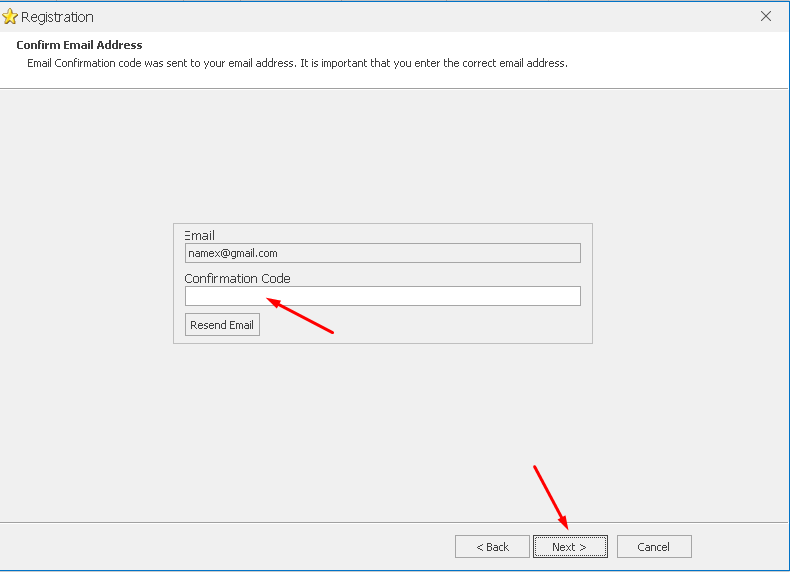
You will receive a confirmation code by email. Please enter it in the next step.
-
In the next step you will see available Software Editions and prices.
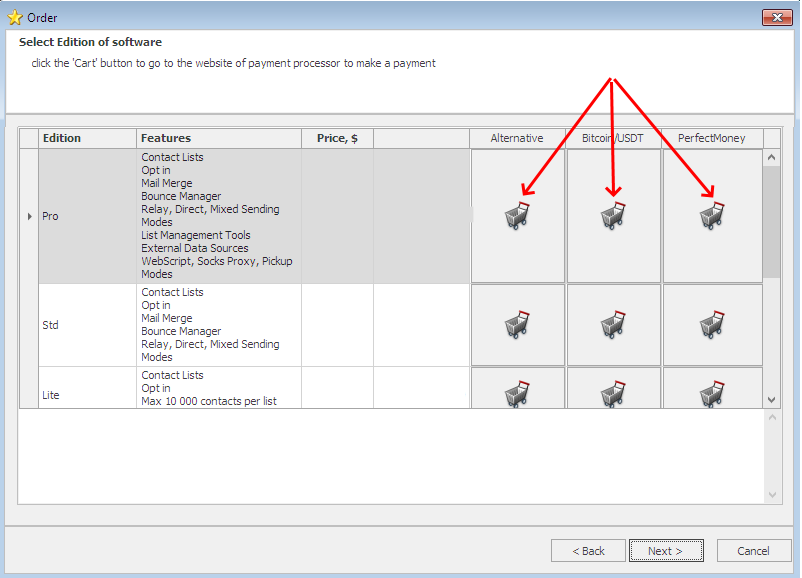
- Click the Order button to go to the payment processor’s website.
