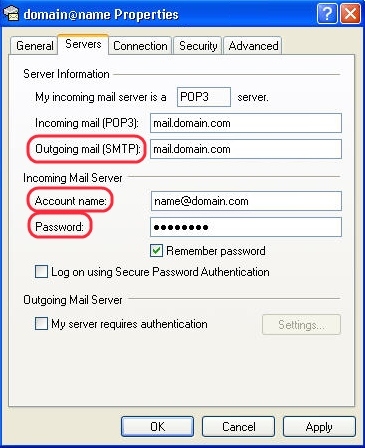
If you are using an email client such as Windows 10 Mail or Outlook Express, you can easily find the SMTP server info in the settings of your client.
Windows 10 Mail
Open Mail for Windows 10. Go to Settings → Manage Accounts. Click on your account, then click on Properties. In the General tab you'll find all details.

Outlook Express
Open Outlook Express. Go to Tools → Accounts. Click on your account, then click on Properties. In the General tab you'll find the email address.

Click on the Servers tab. Copy your server's name, then the username and password, and fill them in Bulk Mailer's settings.